
Physical AI
From demonstrations to a policy that works
Six stages between an operator putting a glove on and a robot doing the task reliably. Here is what happens at each one, and what hardware it needs.
Definitions, briefly
What a policy is
A policy is the function that turns what the robot sees and feels into what it does next. Camera frames, joint positions and a task instruction go in; joint or end-effector commands come out, typically at 10 to 50 times a second. It replaces the hand-written state machine that classical automation used.
Policy training means fitting that function from examples of the task being done correctly, rather than programming it. Which means the examples — the demonstrations — are the product. Everything on this site upstream of the robot exists to produce them.
The pipeline
The loop, in one picture
Six stages between an operator putting a glove on and a robot doing the task reliably.
The pipeline
Six stages
01
Collect demonstrations
A human drives the robot — through gloves, a leader arm, or an XR headset — while every camera frame, joint state and operator input is recorded in sync. Synchronisation is the part teams underestimate: a dataset where hand and video drift by 40 ms is not a dataset, it is a debugging exercise.
What it needs
Capture gloves, optional body suit, headset, the target hand or arm, and a workstation to run the session. This is the station ladder — Base, Humanoid or Force Lab.
02
Build the dataset
Recordings get segmented into episodes, labelled with the instruction, time-aligned across sensors, stripped of failed takes, and written to a standard schema so a training job can read them. Budget real storage — a serious programme runs from hundreds of gigabytes into multiple terabytes.
What it needs
CPU and fast NVMe storage. No special GPU is needed at this stage.
03
Train the policy
Teach the model to reproduce the operator’s actions given the same observations. Most teams now fine-tune an existing robot foundation model on a few hundred task-specific demonstrations rather than training from scratch — dramatically cheaper, and it works.
What it needs
40 GB or more of VRAM per GPU. This is where a workstation stops being enough and the job moves to datacenter-class compute or cloud.
04
Simulate and randomise
Recreate the task in simulation and run thousands of parallel variants with randomised lighting, textures, object mass, friction, camera pose and latency. The purpose is narrow and important: stop the policy memorising your specific lab.
What it needs
An RTX-class GPU with ray-tracing cores. A common and expensive mistake is buying datacenter accelerators for this stage — several popular datacenter GPUs are not supported by the major robotics simulators because they have no RT cores.
05
Deploy to the real robot
Run the simulation-trained policy on physical hardware. The gap between the two always appears somewhere — usually contact dynamics, perception, or timing. Closing it means better simulation, more real data, or training on both together.
What it needs
Onboard inference compute on the robot, sized to the model. Roughly 16 GB of VRAM is the practical floor.
06
Evaluate, then go back to stage one
Run a fixed number of physical rollouts and count successes. This is the number that decides whether you ship, and it is the stage most teams under-invest in. It is also where the loop closes: real deployments fail in ways the demonstrations never covered, which sends you back to collect recovery data for those specific failure states.
What it needs
The robot, a repeatable fixture and instrumentation. Cheapest stage in hardware, most expensive in labour.
The part nobody tells you
More data is not the same as the right data
The instinct when a policy plateaus is to collect more of what you already have. It rarely helps. A policy that succeeds 90 times in 100 is not failing randomly — it is failing on a small number of specific states: a transparent item it cannot see, an occluded corner, a lid that does not seat, a reorientation that times out.
Those states are what you need demonstrations of. Not another thousand successful runs — fifty recordings of a human recovering from each specific failure. That is a different collection session with a different setup, and it is the difference between a demo and a deployment.
It is also a hardware question, which is why it is on this page. Capturing a recovery from a slipping grip requires a rig that can measure the slip — and kinematics alone cannot.
We also run data collection as a service
Knoxlabs operates a managed capture programme — human demonstration and teleoperation data collected across real US homes and our Los Angeles facility, delivered post-QA in your training format. If you would rather buy the data than build the rig, that is the other way in.
Start at the stage you are stuck on
Most teams call us at stage one or stage six. Either is fine — tell us where you are and what is not working.
Hardware
Compute and capture infrastructure
Training a policy is a data problem before it is a model problem. These are the parts that decide whether the dataset you collect is clean enough to train on.
 Quote
Quote
NVIDIA
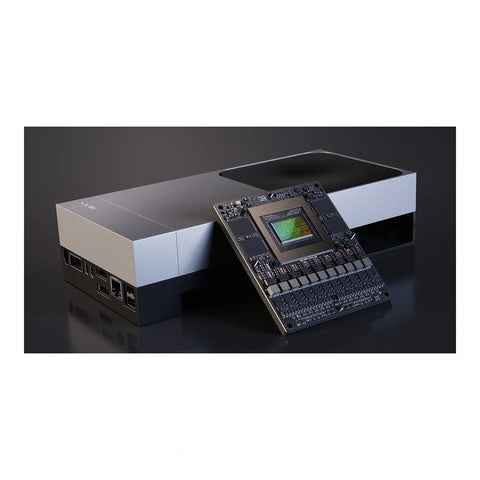
NVIDIA Jetson AGX Thor Developer Kit
The flagship on-robot compute for humanoid and multi-arm platforms. 2,070 FP4 TFLOPS and 128 GB of...
United StatesRobotics Compute
Quote required
Get quote
 Quote
Quote
NVIDIA
NVIDIA Jetson AGX Orin Developer Kit (64GB)
On-robot compute for a full-size rig. 275 TOPS and 64 GB of LPDDR5 is enough to...
United StatesRobotics Compute
Quote required
Get quote
 Quote
Quote
NVIDIA
NVIDIA DGX Spark
A deskside training box with 128 GB of coherent unified memory. In a robot-learning programme this...
United StatesRobotics Compute
Quote required
Get quote
 Quote
Quote
NVIDIA
NVIDIA Jetson Orin Nano Super Developer Kit
The entry point into on-robot inference. 67 TOPS in a 100 × 79 mm board at...
United StatesRobotics Compute
Quote required
Get quote
 Quote
Quote
Robotiq
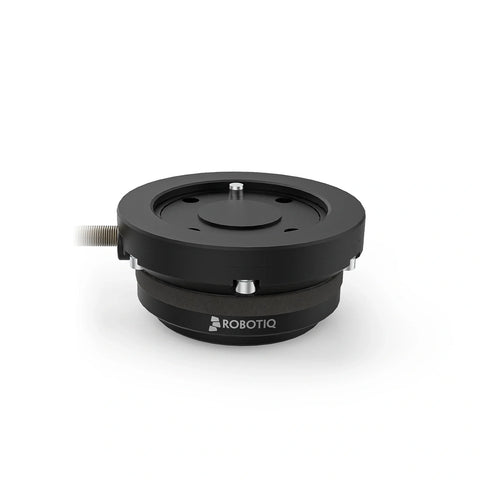
Robotiq FT 300-S Force Torque Sensor
A six-axis force/torque sensor that mounts at the wrist. If your arm is position-controlled and you...
CanadaForce & Tactile Sensor
Quote required
Get quote
 Quote
Quote
Orbbec
Orbbec Multi-Camera Sync Hub Pro
The part of a multi-camera rig nobody budgets for and every dataset needs. Without a common...
Commercial use onlyCapture Infrastructure
Quote required
Get quote
 Quote
Quote
Orbbec
Orbbec Multi-Camera Sync Hub Dev — Star
Star-topology trigger hub for a small rig — typically a three or four camera teleoperation cell....
Commercial use onlyCapture Infrastructure
Quote required
Get quote
 Quote
Quote
Orbbec
Orbbec Multi-Camera Sync Hub Dev — Daisy Chain
Daisy-chain trigger hub for rigs where cameras run along a rail or frame and star cabling...
Commercial use onlyCapture Infrastructure
Quote required
Get quote
 Quote
Quote
Orbbec
Orbbec Sync Adaptor — 8-Pin to RJ45
One adaptor per camera. This is the piece that connects a camera's 8-pin sync port to...
Commercial use onlyCapture Infrastructure
Quote required
Get quote
 Quote
Quote
Luxonis
Luxonis FSYNC Y-Adapter
Hardware frame sync for OAK cameras. Every device on the chain begins sensor exposure at the...
United StatesCapture Infrastructure
Quote required
Get quote
 Quote
Quote
XELA Robotics
XELA Robotics uSkin uSPa 44 Tactile Patch
Sixteen taxels in a patch smaller than a postage stamp, each reading three axes — shear...
JapanForce & Tactile Sensor
Quote required
Get quote
 Quote
Quote
XELA Robotics
XELA Robotics uSkin uSPa 46 Tactile Patch
The larger uSkin patch: 24 taxels across a 30.6 × 50.6 mm area at under 5...
JapanForce & Tactile Sensor
Quote required
Get quote
Talk to us
Tell us what you are building
Send us the task, the robot platform and your timeline. We reply with a configured bill of materials and a quote — usually within one business day.
Form not loading? Request a quote.
Keep exploring
The rest of the robotics stack
Every layer, sourced and deployed by the same team.