
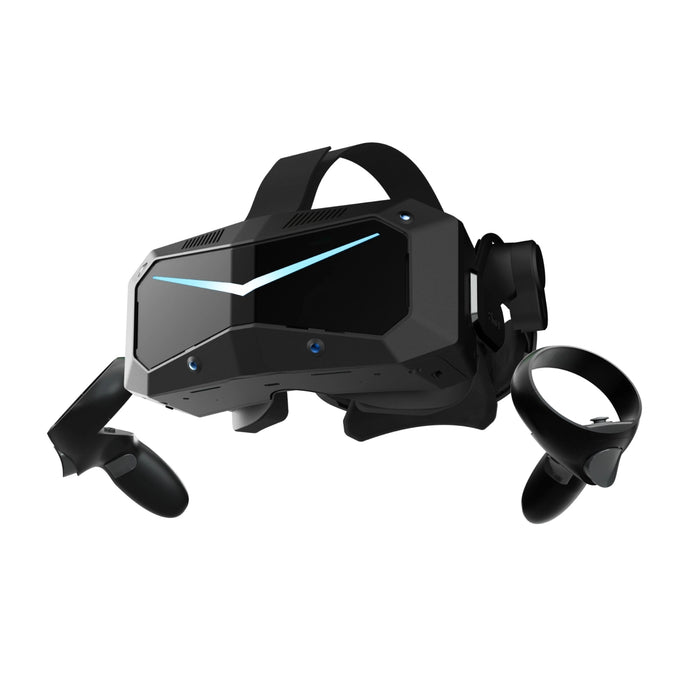
Maximum clarity
Pimax Crystal Super
For users who want the most premium Pimax visual experience with modular optical engine options.
Best forPro PCVR
FocusResolution + FOV

Pimax has several high-resolution PCVR headsets, but the right choice depends on what matters most: maximum clarity, lighter weight, Micro-OLED visuals, or a more affordable Dream Air-style setup.
This guide compares the main Pimax options and explains the key difference between Lighthouse / Headset Only and SLAM / With Controllers, so you can avoid buying the wrong tracking setup.

Start here if you are trying to decide which Pimax headset fits your setup.
| Model | Best For | Display / Resolution | Tracking | Why Choose It |
|---|---|---|---|---|
| Pimax Crystal Super | High-end visual fidelity, simulation, professional PCVR | High-resolution QLED / optical engine options | SLAM tracking | Maximum clarity and large-FOV options |
| Pimax Crystal Light | PCVR users who want strong resolution at a lower cost | 2880 x 2880 pixels per eye | Inside-out, optional Lighthouse compatibility | Best value for high-resolution tethered PCVR |
| Pimax Dream Air | Premium lightweight PCVR, racing/flight simulation, long sessions | Sony Micro-OLED, 3840 x 3552 pixels per eye | Lighthouse or SLAM | Micro-OLED quality in a very light headset |
| Pimax Dream Air SE | Affordable lightweight Dream Air-style setup | Micro-OLED, 2560 x 2560 pixels per eye | Lighthouse or SLAM | Lower-cost entry into the Dream Air design |
For users who want the most premium Pimax visual experience with modular optical engine options.
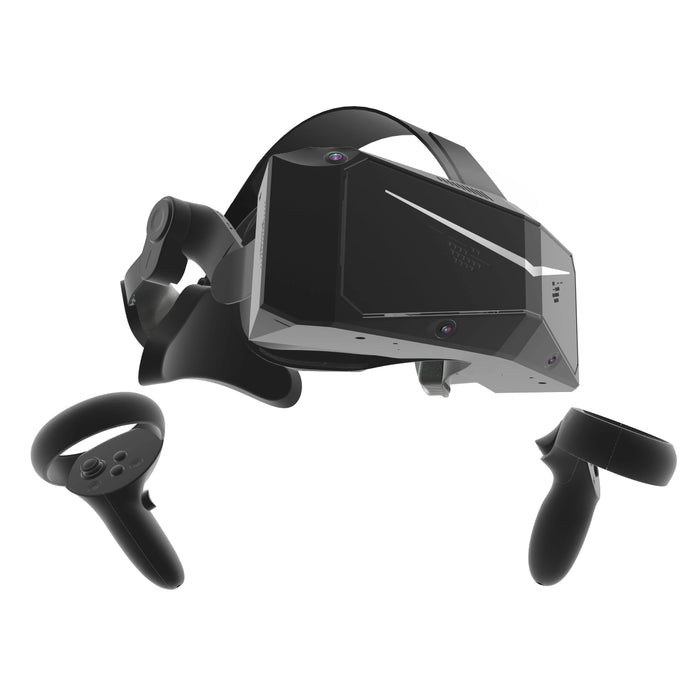
A streamlined PCVR headset for users who want sharp visuals without the full Crystal Super price.
Ultra-lightweight premium PCVR with Sony Micro-OLED visuals and Lighthouse or SLAM tracking options.

A more affordable lightweight Dream Air-style headset with Micro-OLED visuals and compact design.
Best for serious simulation, design review, and high-end PCVR setups where resolution and field of view are the priority.
Best for users who want strong resolution and tethered VR performance without moving into the most expensive Pimax options.
Best for long PCVR sessions, racing and flight simulation, and users who want high display quality in a much lighter headset.
Best for users who want the Dream Air design direction but do not need the full Dream Air resolution.
Dream Air and Dream Air SE can be sold in different tracking configurations. The headset may look similar, but the setup is different.
Simple rule: If you buy the Lighthouse / Headset Only version, you need external SteamVR base stations and compatible controllers. If you buy the SLAM / With Controllers version, controllers are included and base stations are not required.
| Version | Lighthouse / Headset Only | SLAM / With Controllers |
|---|---|---|
| Tracking type | Outside-in SteamVR tracking | Inside-out tracking |
| Base stations | Required, SteamVR 1.0 / 2.0 compatible, sold separately | Not required |
| Controllers | Not included | Included, 2 x 6DoF controllers |
| Hand tracking | Not integrated | Integrated |
| See-through | Not supported | Supported |
| Tracker support | Supported with SteamVR Trackers | Not supported |
| Best for | Users who already have SteamVR base stations/controllers or want Lighthouse tracking precision | Users who want a more complete package without external tracking hardware |
Base stations and controllers are not included with the Lighthouse / Headset Only version unless separately added as accessories or sold as a custom bundle.
Yes, Pimax Dream Air can work with a compatible laptop, but the laptop must support the right video output. Dream Air is a PCVR headset and depends on a high-bandwidth DisplayPort connection from the computer.
Laptop compatibility rule: the laptop needs a direct GPU output through Mini DisplayPort or USB-C with DisplayPort support. If using an adapter, it must support DisplayPort 1.4a at 8K resolution / 60Hz.
Your laptop should have Mini DisplayPort or USB-C with DisplayPort support. Standard USB-C charging/data ports may not be enough.
The display output should connect directly to the dedicated NVIDIA or AMD GPU, not only to integrated graphics.
If an adapter is required, use one that supports DisplayPort 1.4a at 8K / 60Hz for the best compatibility.
For business, education, simulation, or professional use, Knoxlabs can help confirm whether your laptop is ready for Dream Air before purchase.
Pimax Dream Air is a high-resolution PCVR headset. For the best experience, your computer should have a dedicated GPU, DisplayPort 1.4a output, USB 3.0 or higher, and Windows 10/11.
| Minimum | Recommended | Ultimate | |
|---|---|---|---|
| Use Case | Casual VR titles and basic simulation | Balanced visual quality and performance | Max settings and heavy simulation scenes |
| GPU |
RTX 2070 / 2070S / 2080 / 2080S / 2080Ti RTX 3060 / 3060Ti / 3070 / 3070Ti RTX 4060 / 4060Ti / RX 5700XT / 6700XT |
RTX 3080 / 3080Ti / 3090 RTX 4070 / 4070S RX 6800 / 6800XT / 6900XT / 6950XT |
RTX 4070Ti / 4070Ti Super / 4080 / 4080 Super / 4090 RTX 5090 RX 7900XT / 7900XTX |
| CPU |
Intel i5-14x00 / i7-12x00 / i9-10x00 or above AMD R7-7700X / R9-5900 or equivalent |
Intel i7-13x00 / i9-12x00 or above AMD R9-7900 or equivalent |
Intel i7-14x00 / i9-13x00 or above AMD R9-7950X or equivalent |
| RAM | 16GB | 16GB | 32GB |
| Storage | 5GB free space | 5GB free space | 10GB free space |
| Other |
GPU: DP 1.4a x1 USB: 3.0 or above OS: Windows 10/11 x64 |
GPU: DP 1.4a x1 USB: 3.0 or above OS: Windows 10/11 x64 |
GPU: DP 1.4a x1 USB: 3.0 or above OS: Windows 10/11 x64 |
If you choose the Lighthouse / Headset Only version of Dream Air or Dream Air SE, add compatible SteamVR tracking hardware.
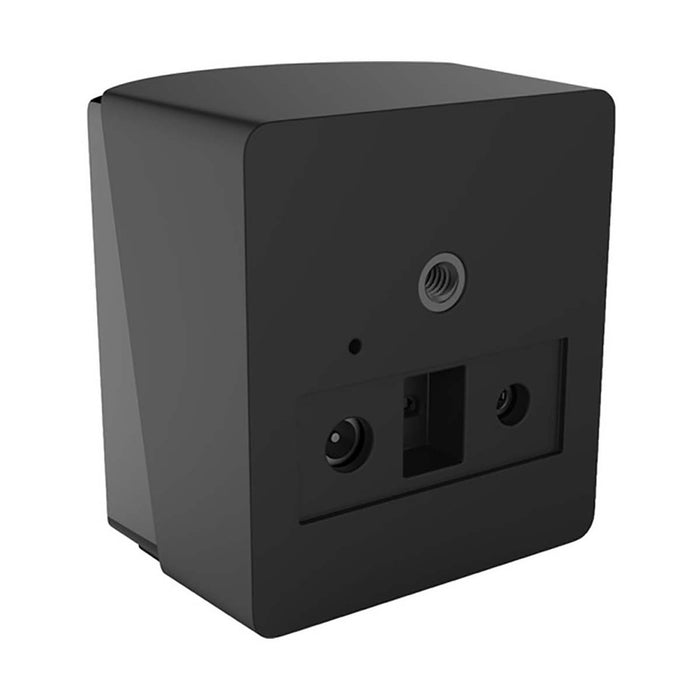
External SteamVR tracking base station for Lighthouse setups. For most room-scale setups, two base stations are recommended.
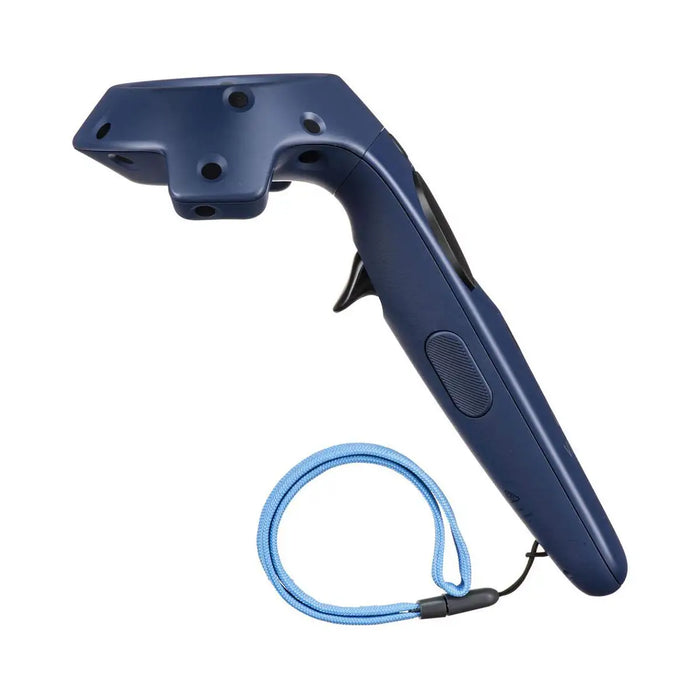
Compatible SteamVR controller option for Lighthouse-based VR setups. Add controllers if your headset version does not include them.
Note: Lighthouse versions are headset-only configurations unless a separate bundle is created. Always confirm whether controllers and base stations are included before checkout.
For maximum visual quality: choose Pimax Crystal Super.
For PCVR value: choose Pimax Crystal Light.
For the best lightweight premium option: choose Pimax Dream Air.
For a more affordable lightweight Dream Air option: choose Pimax Dream Air SE.
Knoxlabs can help configure the correct headset, tracking version, base stations, controllers, and accessories for PCVR gaming, simulation, professional visualization, and business use.
Leave a comment